
Font Studio — Glyph Editor
A vector editor for glyphs. In your hand.
One character in an otherwise good font is wrong — or your new typeface needs letters drawn from scratch — and vector editing has always meant a desktop app.
Capabilities
What it does
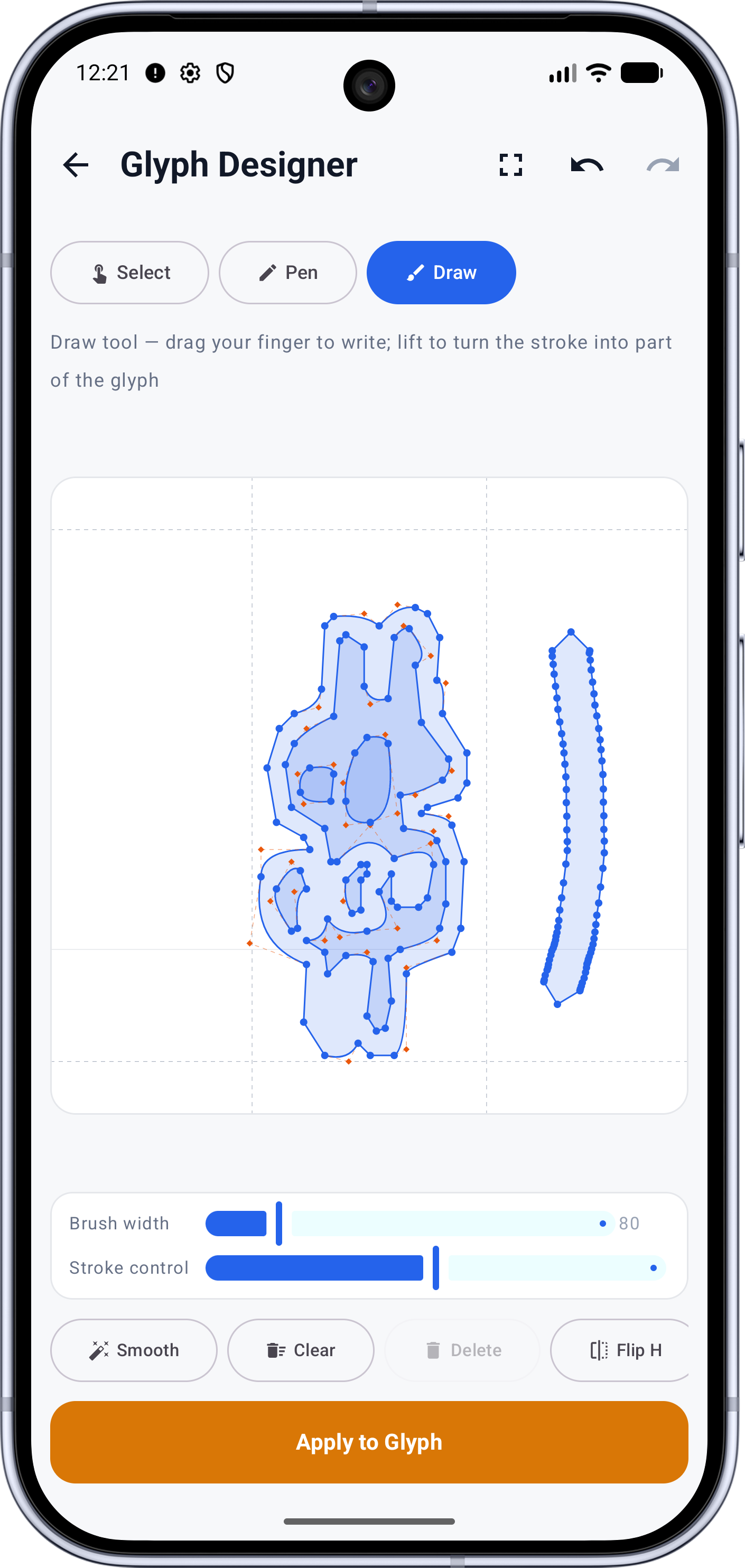
- Select, Pen and Draw modes over metric guides
- Reshape existing contours point by point
- Freehand strokes become outlines, with stroke stabilization
- Transforms: flip, rotate, scale, and resize to real font metrics
- Per-glyph apply — every edit lands as an undoable step
Screens
See it working
Workflow
How it works
- 01
Pick a character — the editor loads its contours over the baseline, ascender, descender and advance-width guides.
- 02
Edit the shape: drag points in Select mode, draw anchors in Pen mode, or sketch freehand in Draw mode.
- 03
Tap Apply to Glyph — the editor's outlines replace that glyph in the working font.
- 04
Applied glyphs collect for the session; one Apply commits the batch to the project.
Who it's for
Made for this job
- Type designers building a typeface glyph by glyph
- Anyone fixing a broken letterform or tracing handwriting
Docs
In the documentation
Guides
Step-by-step walkthroughs
More Font Studio tools
- Font Editor
- Font Converter
- Font Repair
- Font Subsetter
- Font Merger
- Font Inspector
- Font Health
- Font Editor for Android
- Font Editor for iPad
Looking for everything in one place? Back to the Font Studio overview.
On-device processing
Try Font Studio
Free to download on Android and iPad. Font processing happens on your device — your font files are not uploaded.