
Font Studio — Font Subsetter
Ship the characters you use. Drop the thousands you don't.
Your app or website ships a font containing thousands of glyphs it never renders. Every unused glyph is a kilobyte your users download for nothing.
Capabilities
What it does
- Keep only the characters your project uses
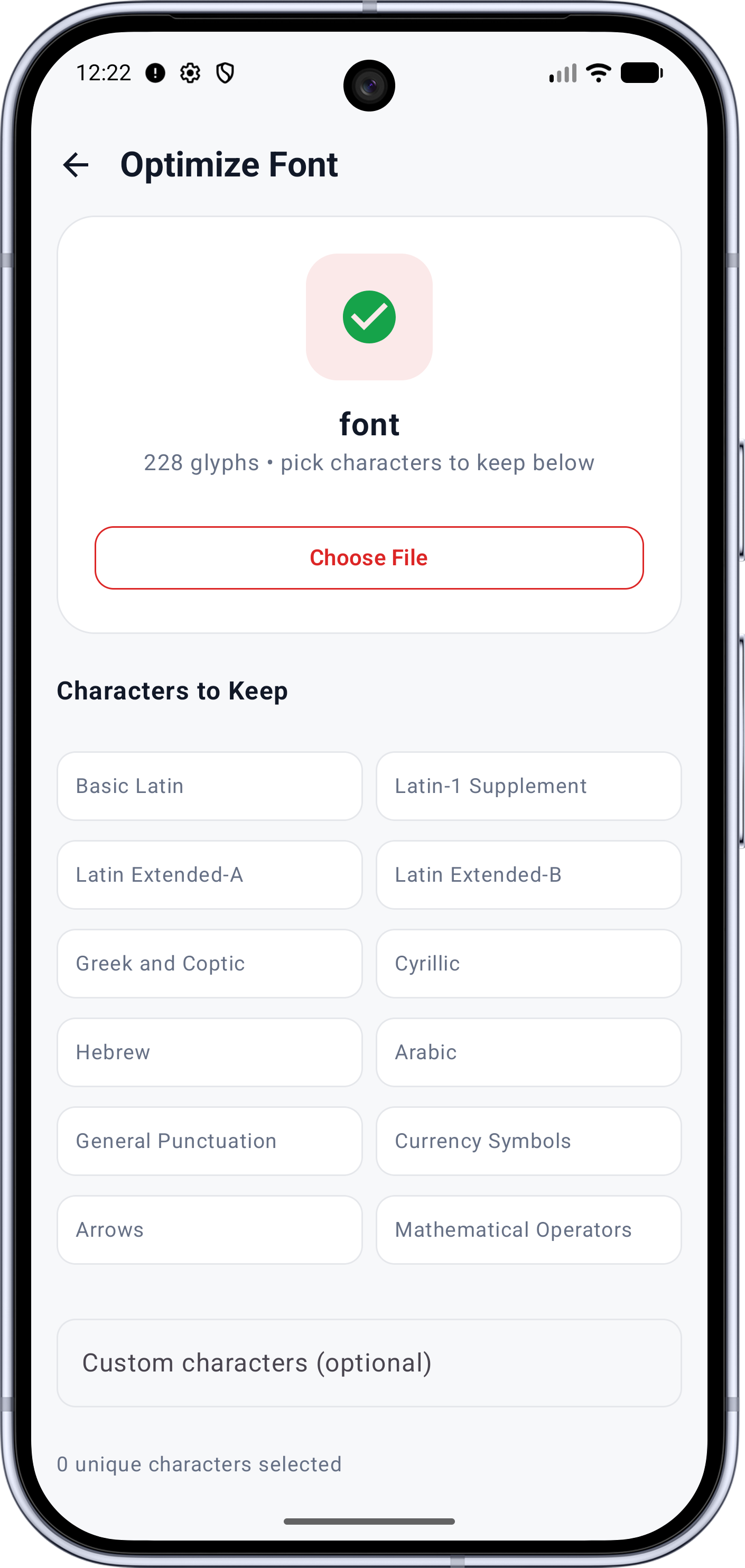
- Range presets for twelve common Unicode ranges
- Custom characters field for exact keep-lists
- Composite glyphs keep their component glyphs automatically
- Result report: glyphs kept, characters matched, size saved
- Split large fonts per script or range
Screens
See it working
Workflow
How it works
- 01
Collect the characters your project really renders — real strings, digits, punctuation, symbols users might type.
- 02
Open Subset Font and pick range presets, paste custom characters, and watch the live counter.
- 03
Run the subset — the result screen reports glyphs kept, characters matched and bytes saved.
- 04
Validate the subset and export it — the original stays untouched.
Who it's for
Made for this job
- Web and app developers watching payload size
- Anyone embedding fonts where every kilobyte counts
Docs
In the documentation
Guides
Step-by-step walkthroughs
More Font Studio tools
- Font Editor
- Glyph Editor
- Font Converter
- Font Repair
- Font Merger
- Font Inspector
- Font Health
- Font Editor for Android
- Font Editor for iPad
Looking for everything in one place? Back to the Font Studio overview.
On-device processing
Try Font Studio
Free to download on Android and iPad. Font processing happens on your device — your font files are not uploaded.