
From variable to static: instancing a variable font
Exporting a variable font to a static format copies it as-is — real instancing evaluates outlines, metrics, kerning and marks at one location. Do it on device, then verify.
A variable font at rest is a set of masters and math; a static font is a
finished drawing. Instancing — baking one location of the design space into
an ordinary TTF — is what you need when the target doesn't do variable:
design tools with no axis UI, app-embedding SDKs, stores and foundries that
want a static family, files that must not carry fvar at all. Font Studio's
Make static (Pro, under Font Engineering → Variable) does this
on-device: this walkthrough instances the two-axis dot font built in
the variable dot font guide
at Weight 400 / Roundness 50 and exports it as an ordinary static TTF.
The trap this replaces
It's worth naming, because every export screen hides it: exporting a variable
font to a static format without instancing copies the file as-is — masters,
axes, fvar and all — into a .ttf wrapper. Nothing is evaluated; the
"static" font still behaves like a variable font where support exists and
renders at its default instance nowhere else. Real instancing is a
computation, not a re-label. That's what Make static runs.
The flow
Open the variable font and go to Font Engineering → Variable. The design
space shows the axes — this font has two, wght 100–800 and ROND 0–100,
with 15 named instances — plus per-axis sliders and a live preview. Set the
cursor: Weight 400, Roundness 50. The header tracks the location
(wght 400 · ROND 50), and the style name field auto-suggests from the axis
values — "Soft", here.
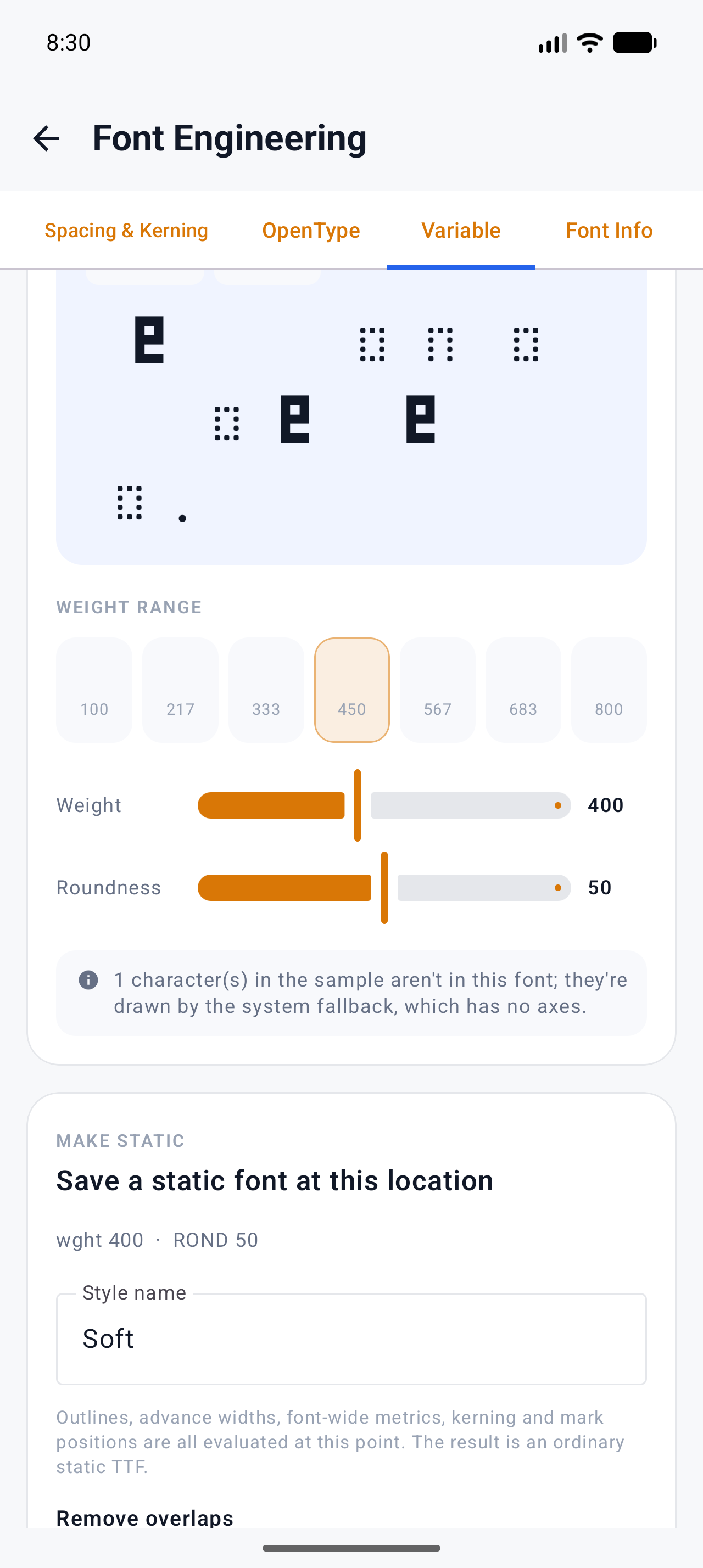
The Make static card states exactly what happens when you commit:
"Outlines, advance widths, font-wide metrics, kerning and mark positions
are all evaluated at this point. The result is an ordinary static TTF."
That list is the difference between instancing and copying — every one of
those is interpolated from the masters at the cursor's coordinates, including
positions that travel along avar curves if the font maps them.
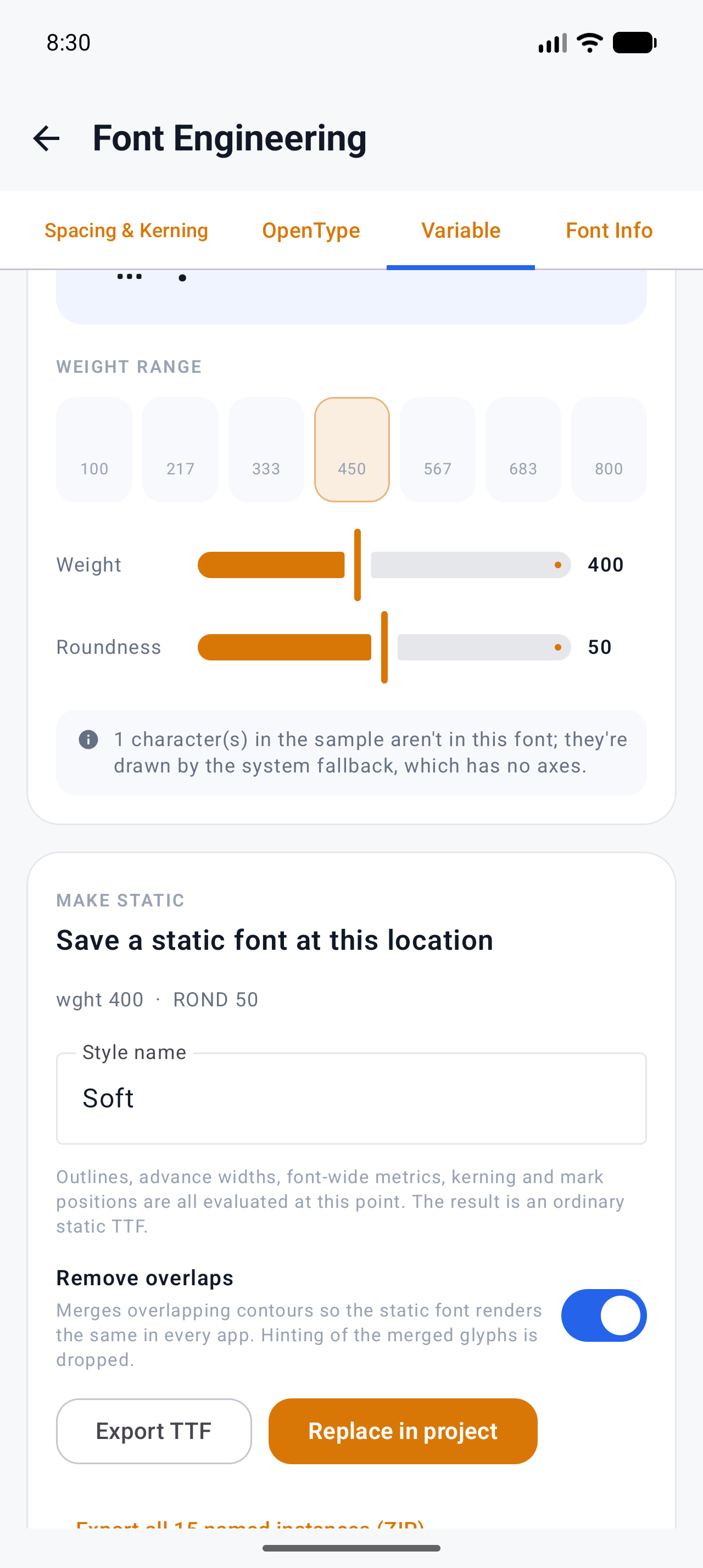
- Export TTF — the static font as a file, named for the style.
- Replace in project — swap your working font for the instance.
- Export all 15 named instances (ZIP) — the whole named-instance set, one static file each; this is your static-family release in one tap.
"Remove overlaps" defaults to ON — contour overlap merging, the same final pass Google Fonts applies to static releases (it shrinks files and fixes rendering artifacts in a handful of rasterizers).
What came out, checked
Exported the "Soft" instance and inspected it with fontTools:
fvaris gone. The static TTF has no axes, no instances, no variations —maxpreports the same 54 glyphs, none of the variable machinery.- The name table was rewritten for the style: family "My Font Soft", subfamily "Regular" — the RIBBI split (a family-with-style name becomes family + Regular) so desktop font menus show it as its own family. See name tables explained for why that split happens.
- Metrics are baked: glyph advances at the Soft location (1,463 units
for the letter glyphs on this font) are now plain
hmtxvalues, no HVAR deltas. - Size: 4,080 B static vs 26,224 B variable — the variable font carries
fvar/gvar/STATplus a second master's worth of data; the instance carries one drawing per glyph.
One honest note on comparing against desktop tools: fontTools'
instancer.instantiateVariableFont at the same coordinates produces the same
metrics and the same outlines geometrically, but the compiled bytes
differ (different overlap-removal and point-ordering choices). Compare
geometry and metrics, not file hashes.
Limits, disclosed
- TrueType outlines only. CFF2 variable fonts are refused with a message.
- It needs the real variable font. Subsetting strips variable tables — a subsetted "variable" font can't be instanced because there's nothing left to interpolate. Keep the original; see how to reduce font file size for what subsetting does and doesn't keep.
- Exporting ≠ instancing — the as-is copy trap above. If a pipeline hands you a "static" file that still has axes, it went through the wrong door.
- No hinting authoring is involved; exporting can strip legacy hinting.
What to try next
- Axes, instances and how the design space works: Variable fonts reference
- Building the variable font this walkthrough instanced: How to build a variable dot font (wght + ROND axes)
- Format targets and what carries over: Convert a font — recipe