
How to create a font on Android
Design a typeface from scratch on your Android phone: scaffold the character set with the wizard, draw each glyph by touch, and export a real TTF.
You can create a font from scratch on an Android phone with Font Studio: the Start New Font wizard scaffolds a real font file up front — correct tables, real metrics, empty glyph slots — and walks you through filling each character, one card at a time. The finished set exports as a real TTF. No desktop involved.
What you'll learn
- How to scaffold a character set in the wizard
- How to fill the glyph cards on a phone — by drawing or by importing
- How to finish, validate and export
Step 1 — Scaffold with the wizard
Home → center Add button → Start New Font:
- Family name — the font's identity; defaults to "My Font"
- Units per em — the design grid; 1000 by default
- x-height / cap-height — optional guides for your proportions
- Character segments — Latin Letters and Numbers are preselected; add more segments or a custom characters field to scope exactly what the font contains
The start button counts the job before you commit — "Start (N characters)" — and drafts save as projects automatically.
Free users design or import two characters at a time, then unlock the next two; Pro removes the cap for a full alphabet in one run.
Step 2 — Fill the cards
The wizard steps through your characters in forced order, one card at a time — the current card is actionable, the rest locked, so there's no decision fatigue and no forgotten gaps. Each card offers two routes:
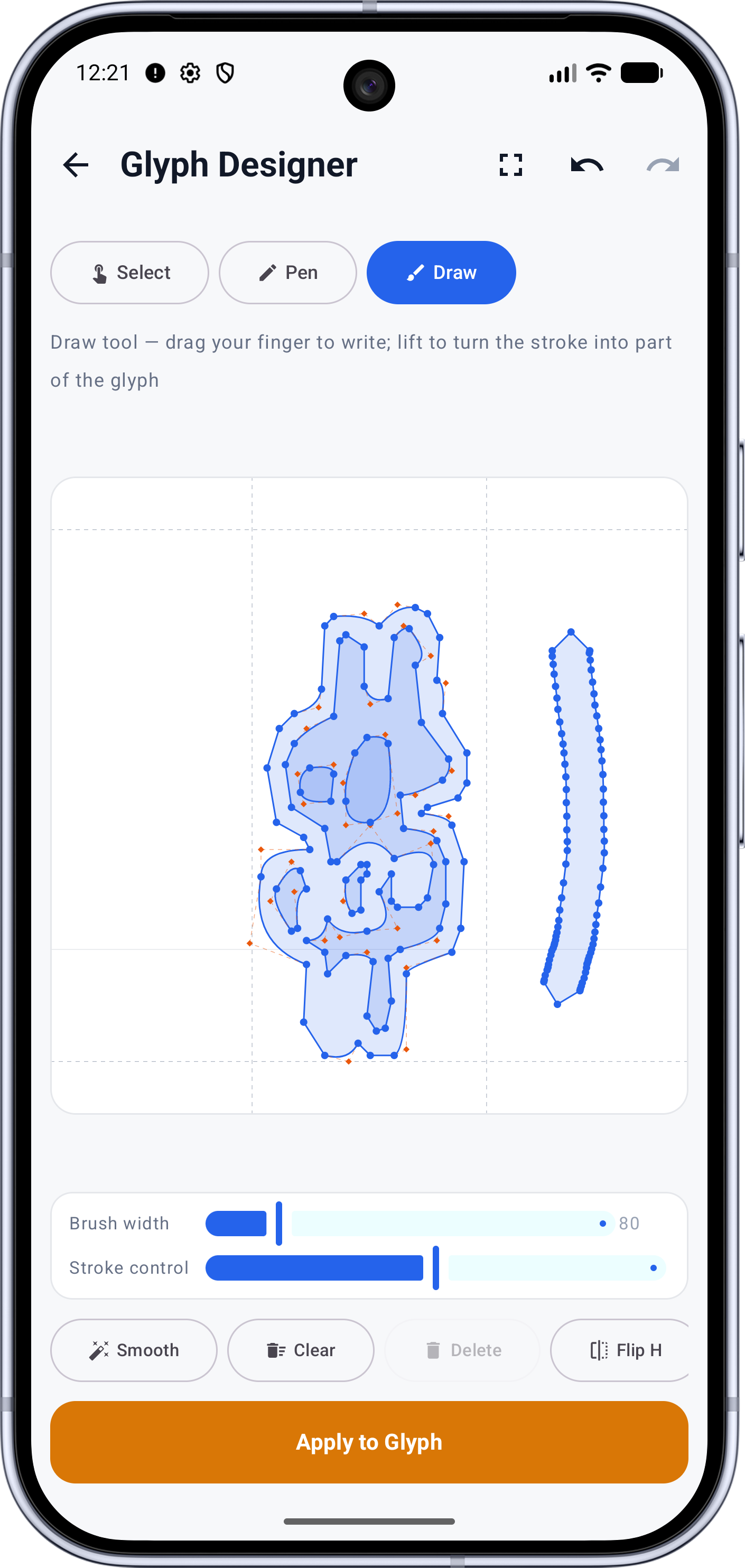
Design opens the glyph empty in the Glyph Designer. Draw with Draw mode (strokes become outlines) or Pen mode (precise anchors over the metric guides) — then Apply to Glyph and move to the next card.
Import pulls the character from a source font you pick once and reuse for every later card — handy for characters you'd rather borrow than draw.
Drawing precision on a phone is real but limited; save fine-tuning for a tablet if you have one.
Step 3 — Finish into a font
When the cards are done, the project becomes a working font in your workspace. Give it a final pass:
- Font Health — validate before shipping
- Naming and metadata — if you plan to install or distribute it
- Spacing — handwriting and first typefaces usually need generous bearings
Then export: save the TTF, or build an Android package for an app.
What to try next
- Turning your handwriting into the design source: How to create a font from your handwriting
- Editing existing fonts instead of creating new ones: How to edit fonts on Android
- The complete guide, iPad included: Design your own typeface
Full documentation